


R4 DECK Cassette — 500GB Portable Game Drive for PC & Laptop
R4 DECK Cassette — 500GB Portable Game Drive for PC & Laptop
Couldn't load pickup availability

R4 DECK Cassette — 500GB Portable Game Drive for PC & Laptop




ONE MENU
Classic consoles in one menu
Pick a console, pick a game, play. Everything is sorted by console, so it is a menu, not a folder full of filenames.
YOUR LIBRARY
Your games, your rules
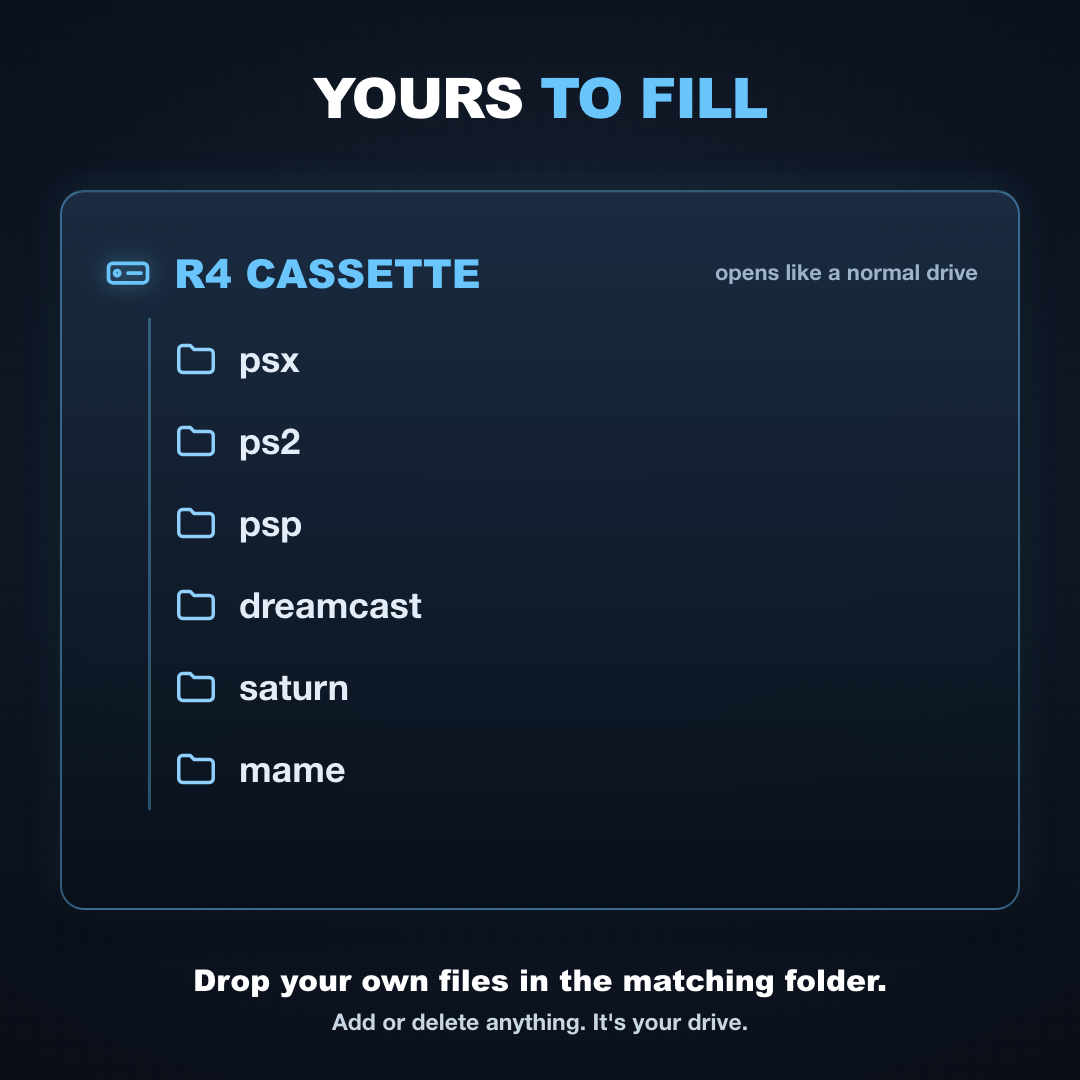
It opens like a normal drive in Windows. Add or delete anything you want. It is your drive.

BUILT FOR THE PC
A retro console that fits in your bag
A 500GB hard drive in a clear cassette-style case. Plug it into any PC that can start from USB.

NOTHING TO INSTALL
Three steps and you are playing
Plug it in, pick the drive in your boot menu, and your game menu appears. Unplug it and Windows is exactly as you left it.
A few of the systems inside


One drive, or a shelf of consoles
What it would actually take to play all of this the other way.
| R4 DECK | Collecting the consoles | |
|---|---|---|
| Classic consoles in one device | ||
| No downloading, no installing | ||
| Fits in your bag | ||
| Costs less than two new games | ||
| Nothing installed on your PC | ||
| Saves your progress |
Questions people ask before they buy
Do I have to set anything up?
Do I have to set anything up?
Very little. Plug the drive into a USB port, restart your PC, pick the drive in the boot menu, and you're at a menu sorted by console. Nothing to download or install. If you've never opened a boot menu before, email info@r4deck.com and we'll walk you through it.
How do I use it on my PC?
How do I use it on my PC?
Three steps
- Plug the drive into a USB port on your PC or laptop.
- Restart the computer and choose the drive from the boot menu.
- Connect a controller, pick a console, pick a game, play.
Full setup guide (PDF) with boot-menu keys for Dell, HP, Lenovo, ASUS, Acer, MSI and more.
Will my PC work with it?
Will my PC work with it?
It's made for Windows desktops and laptops that can start from a USB drive. The drive starts your computer in its own game menu instead of Windows, so your PC needs to allow booting from USB. If you're not sure yours does, email info@r4deck.com with your PC model before you order.
Is it a hard drive or a card?
Is it a hard drive or a card?
A 500GB hard drive in a USB 3.0 case, not a card. It has moving parts, so set it down gently and don't move it while it's running.
Will this touch my Windows install?
Will this touch my Windows install?
No. Nothing is installed on your PC. The drive starts the game menu on its own. Unplug it, restart, and your computer is exactly as it was.
Will my progress save?
Will my progress save?
Yes, the same way it worked on the original hardware. Saves are written to the drive, so they travel with it.
Can I add or delete games?
Can I add or delete games?
Yes. It's a normal drive. Plug it into a computer and add or remove whatever you like. The library on it is a starting point, not a locked list.
Does it play PS5, Xbox Series X or Nintendo Switch 2 games?
Does it play PS5, Xbox Series X or Nintendo Switch 2 games?
No. This drive plays retro and classic console games, up to roughly the PS2 era. It does not play PS5, Xbox Series X|S or Nintendo Switch 2 games. We'd rather you know now than be disappointed when it arrives.
What if it doesn't work when it arrives?
What if it doesn't work when it arrives?
Email info@r4deck.com and we'll walk you through it. The usual cause is the PC not being set to start from a USB drive, and it's a quick fix.
Drives ship from current stock and the physical drive may not look identical to the photographs. Capacity is as described. Not affiliated with, endorsed by, or sponsored by Microsoft. “Windows” is a trademark of Microsoft Corporation, referenced only to describe compatibility.