


R4 DECK — Nintendo Switch Compatible
R4 DECK — Nintendo Switch Compatible
Couldn't load pickup availability
-

I went with the 256GB version to test it out and I’m really happy with it! It has around 40,000 games, which is honestly more than enough for casual gaming. All the emulators are preconfigured and run super smooth on the Steam Deck. Perfect for travel or gaming on the go. I might upgrade to the bigger one later, but this one’s been awesome -

I’ve tried a few different SD card packs before but this one’s on another level. The 512GB R4DECK card came loaded with 50,000 games, just like the 1TB version but at a better price. Everything is organized by console, and it even has save states and box art. I can’t believe how easy it was to use. My Steam Deck feels like a retro game museum now.
-

Legit one of the best things I’ve bought for my Steam Deck. I got the 1TB version and it came packed with over 60,000 games, including stuff I hadn’t played since I was a kid. It’s literally plug and play. Just pop it in and boom — you're playing PS2, GameCube, old-school arcade games, even some Xbox 360 titles. No setup, no headache. Totally worth it for the convenience alone


R4 DECK — Nintendo Switch Compatible
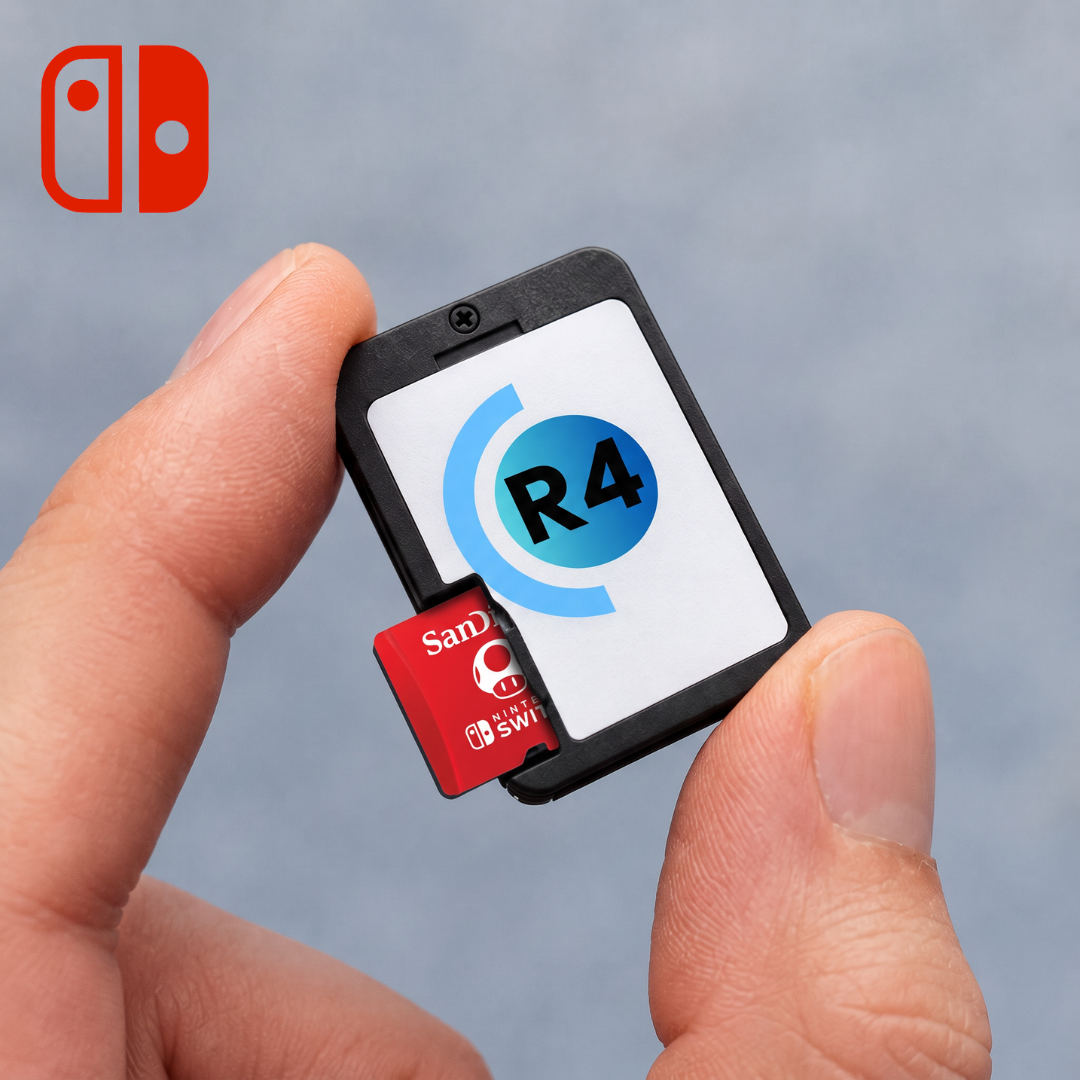
A reusable flash cartridge that fits the standard Nintendo Switch game card slot. Load your own game backups and homebrew onto a microSD card, drop it in the cartridge, and play from one card instead of swapping physical carts.
What it does
- Plug and play — no console modification, no soldering, no chip install
- Carry your personal library on a single cartridge
- Runs homebrew and independent software
- V2 hardware revision — improved compatibility and read stability
Choose your option
- No SD Card — cartridge only. Use any microSD card you already own.
- 64GB — cartridge with a 64GB microSD card included.
- 128GB — cartridge with a 128GB microSD card included.
What's in the box
- 1x R4 DECK flash cartridge
- 1x microSD card (64GB and 128GB options only)
- 1x protective storage case
Compatibility
Designed for the Nintendo Switch. Nintendo Switch 2 support has not been verified and is not claimed.
Important
This cartridge ships empty. It is hardware only — no games are included, preloaded, or supplied by us. The microSD card, where included, ships blank. You are responsible for supplying your own content and for using this product in line with the copyright law where you live. Intended for backups of games you already own and for homebrew software.
Not affiliated with, endorsed by, or sponsored by Nintendo. "Nintendo Switch" is a trademark of Nintendo, referenced here only to describe device compatibility.


70+ CONSOLES
The R4 Deck has 70+ retro and modern consoles
60,000+ GAMES
The R4 Deck has 60,000+ video games, preinstalled with the option to delete/add any game!
SAVE YOUR MONEY
Rather than purchasing 100,00+ games and 200+ consoles, which can cost you hundreds of thousands of dollars, consider getting the R4 deck
Frequently Ask Questions
How to Boot R4 DECK on Steam Deck
How to Boot R4 DECK on Steam Deck
🚀 Step-by-Step Instructions:
- Press and hold the power button, then select Shut Down. Wait until the screen is fully off.
- Insert the R4 DECK. Pop the SD card into the SD card slot on the bottom edge of the Steam Deck.
- Boot into the Boot Manager (Boot Menu)
Hold the Volume Down (-) button.
While still holding Volume Down, press the Power button once.
Keep holding Volume Down until you see the Boot Manager screen. - Select the SD Card. Use the D-pad or joystick to highlight the SD card (it might say something like "EFI SD/MMC Card" or show the SD card brand).
Press A to select it. - After a few seconds, the main menu will appear. You're now ready to play!
Which SD card versions work with SteamOS and Windows?
Which SD card versions work with SteamOS and Windows?
- The 8GB version only works with Windows and won’t work on SteamOS without setup.
- The 256GB, 512GB and 1TB versions work with both Windows and SteamOS.
Can you add more games?
Can you add more games?
Yes, you can add any game if you wish!
Will be able to save my progress?
Will be able to save my progress?
Yes, you will be able to save your progress in every game you play!
Does it work with a laptop?
Does it work with a laptop?
R4 Deck was design for the Steam Deck but it also work with any laptop
Testimonials
-
Perfect for nostalgia fans
I grew up with N64, Game Boy, and PS1, and this card brought all those memories back. The UI is clean, fast, and intuitive.
The only thing is the first boot took a little longer than expected, but after that it was instant.
My kids even discovered old games I used to play. Honestly, super fun purchase.
-
Way better than I expected!
I honestly wasn’t sure what to expect, but this R4 Deck SD card completely blew me away.
I plugged it into my Steam Deck, followed the quick setup guide, and BOOM everything loaded perfectly. No crashes, no weird glitches, nothing.Performance-wise, it feels like having a whole new console. The organization is clean, the interface is smooth, and load times are super fast thanks to the card they use. I’ve bought similar cards in the past from other sellers and they were always buggy or missing files. This one? Perfect out of the box.
If you're debating between this and messing with installs yourself… just get this. It saves HOURS of headaches.
Highly recommended.

-
Perfect for travel and long sessions
I travel a lot for work, so I wanted something that would let me carry a ton of content without having to constantly download or switch storage. The R4 Deck card turned out to be the perfect solution.
The SD card quality is legit fast, reliable, and works instantly. The preload is clean, well-organized, and updated. No junk files, no empty folders, everything just works. My Steam Deck recognized it immediately.
I’ve already recommended it to a couple of coworkers because it totally transforms the Deck into an all-in-one machine.
For the price, it’s honestly a steal.


